Booking a car.
Ride now at a price you see up front, or schedule ahead and let drivers compete for the trip. Here's every way to book.
Two ways to start.
Enter your pickup and destination, then choose. Everything else follows from this one decision.
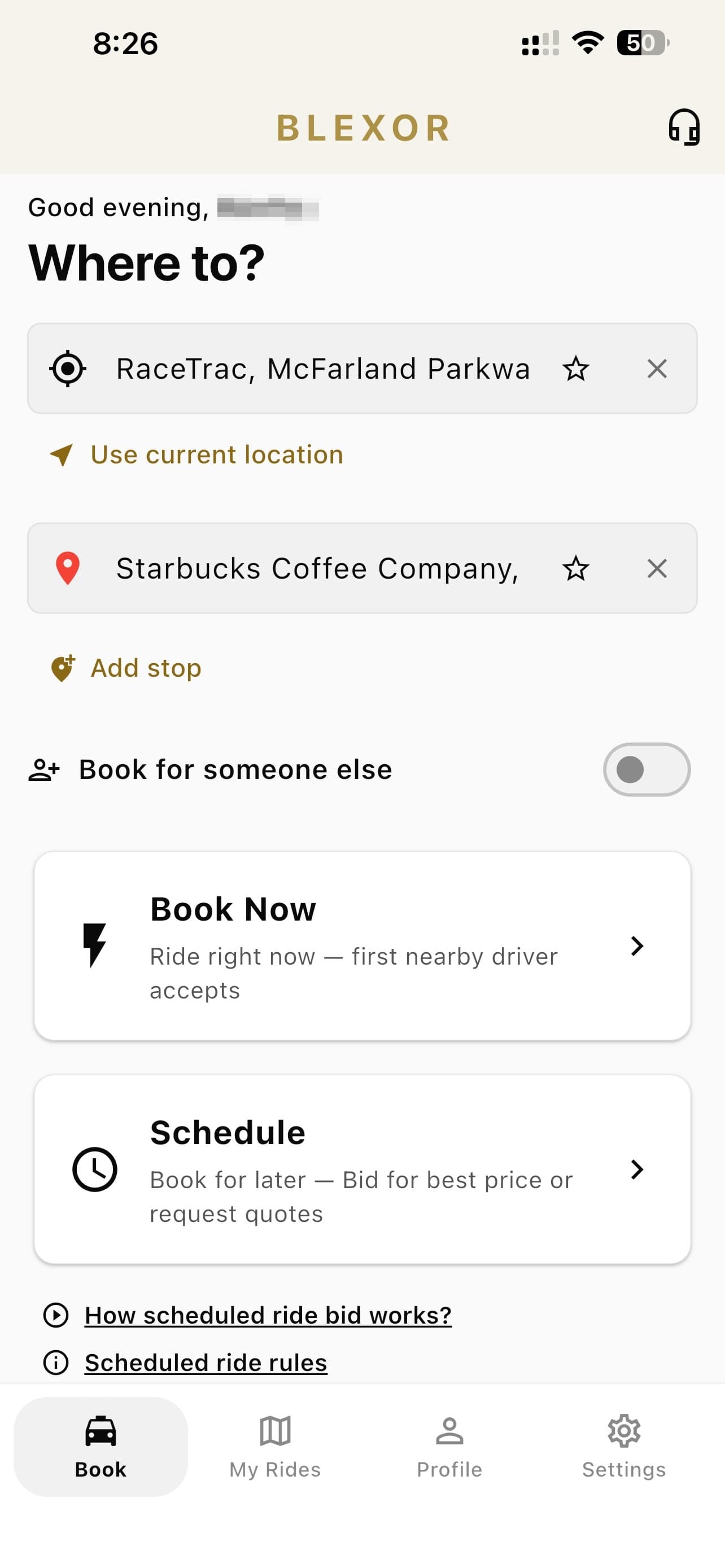
- 1Set your pickup and destination. “Use current location” fills the pickup from where you are, and “Add stop” takes up to five along the way.
- 2Booking for somebody else? Flip this and enter their details — the trip stays on your account, they get the car.
- 3Book Now sends the trip to nearby drivers at a price you see before confirming. First to accept takes it.
- 4Schedule is for later — at least 30 minutes ahead — and opens the four ways of arranging a price below.
Four ways to schedule.
Pick your date and time first, then choose how you'd like the price arranged. They differ only in who gets to offer and how the price is set — in all four you see the offers and decide.
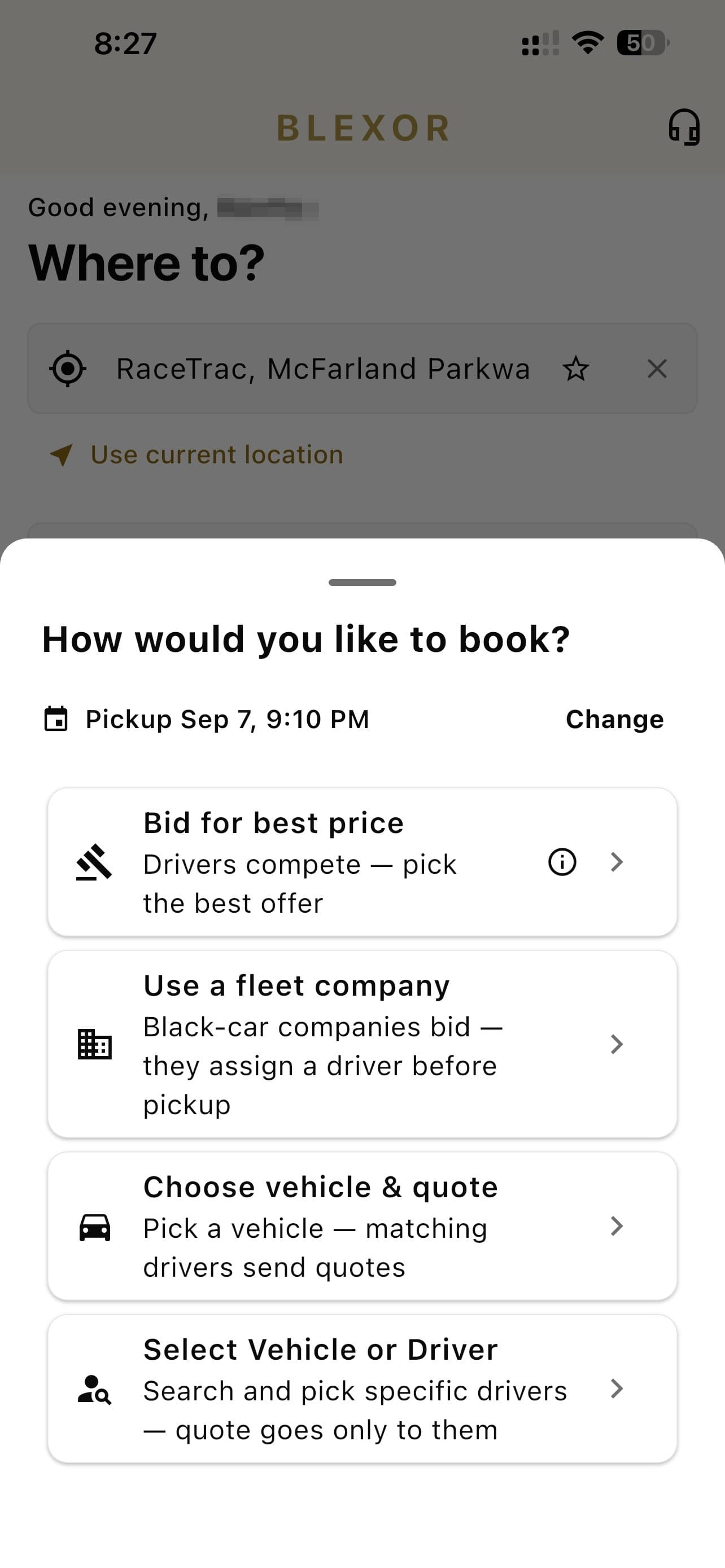
- 1Bid for best price — Drivers compete — pick the best offer.
- 2Use a fleet company — Black-car companies bid — they assign a driver before pickup.
- 3Choose vehicle & quote — Pick a vehicle — matching drivers send quotes.
- 4Select Vehicle or Driver — Search and pick specific drivers — quote goes only to them.
Bid for best price
Your trip is posted with a recommended price and drivers bid against it, some higher, some lower. You see every offer with the driver's rating and vehicle, and take the one you want. Nothing is decided until you accept.
Use a fleet company
The same bidding, but the offers come from black-car companies rather than individual drivers. The company wins the trip and assigns one of their chauffeurs before pickup. You can let every company in range bid, or narrow it.
Choose vehicle & quote
Start from the car instead of the price. Choose a class — Executive Sedan, Executive SUV, Luxury SUV Plus, Luxury SUV XL — and only drivers with a matching vehicle send you a quote.
Select Vehicle or Driver
Rode with someone you liked? Search by name or vehicle, tick up to ten drivers, and the request goes to them alone. There's a filter for drivers you've ridden with before.
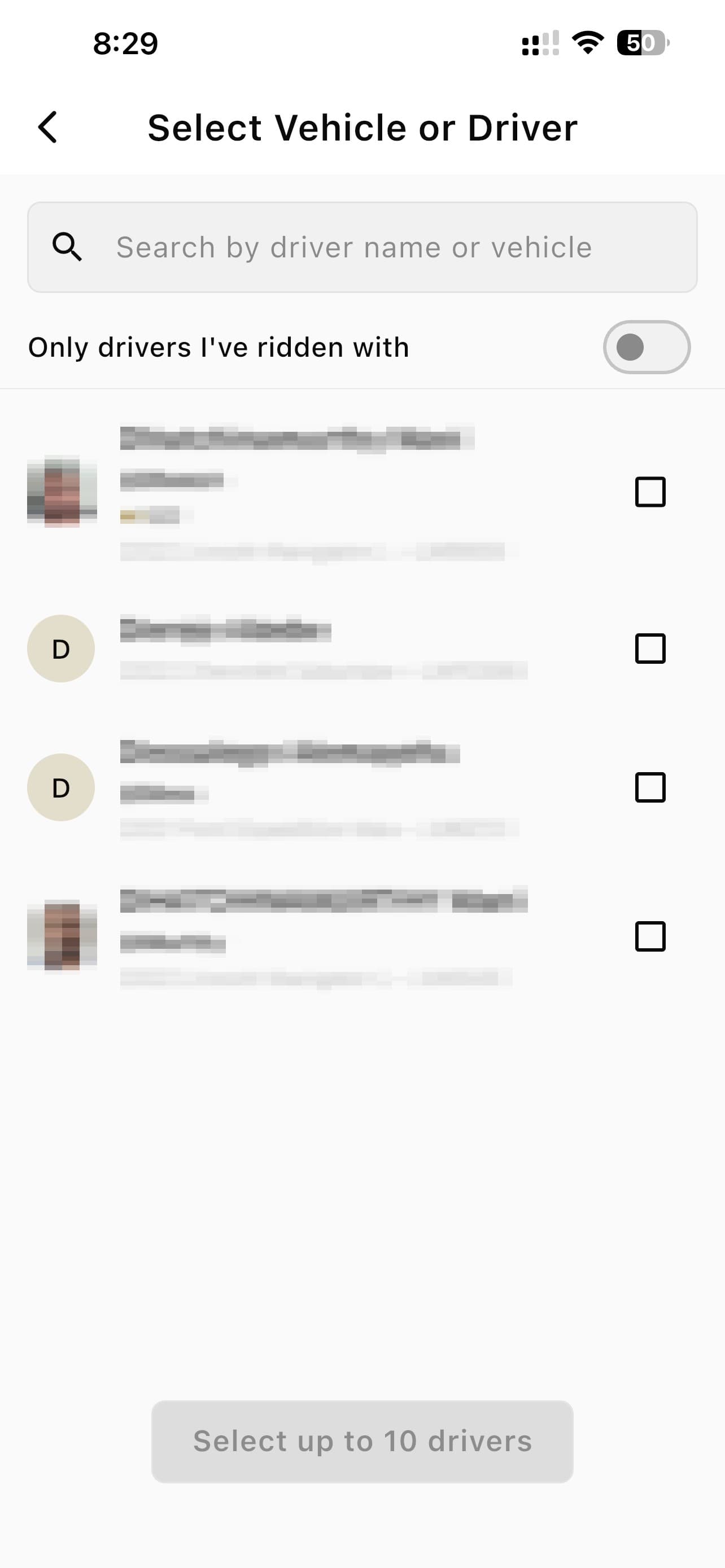
- 1Search by driver name or vehicle to find someone specific.
- 2Or flip the switch to see only drivers who have already driven you. Tick up to ten and the request goes to them alone.
How the price is settled.
You never name a price and you're never committed until you accept an offer. Here's the whole sequence.
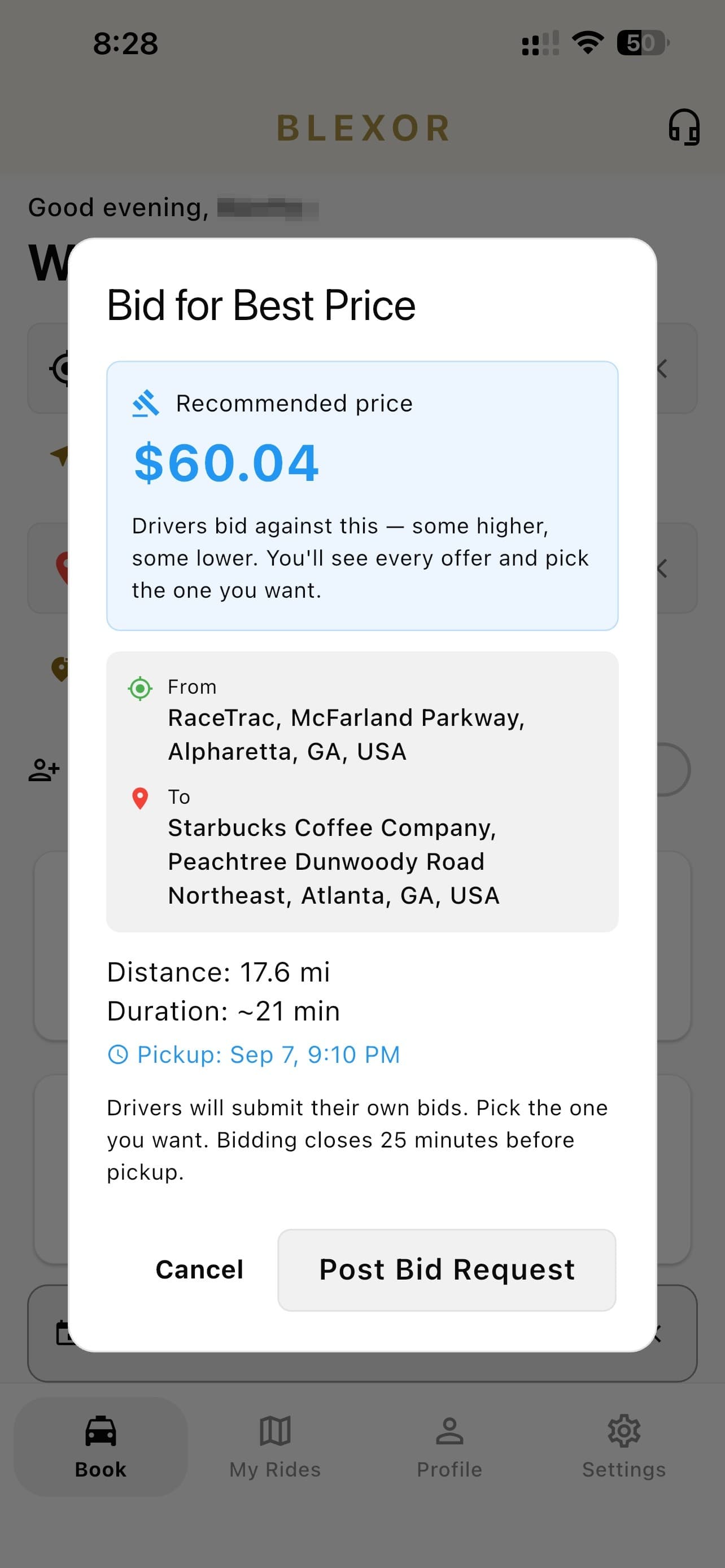
- 1Your trip is posted with a recommended price, plus distance, duration and your pickup time. Drivers bid against that number — some higher, some lower.
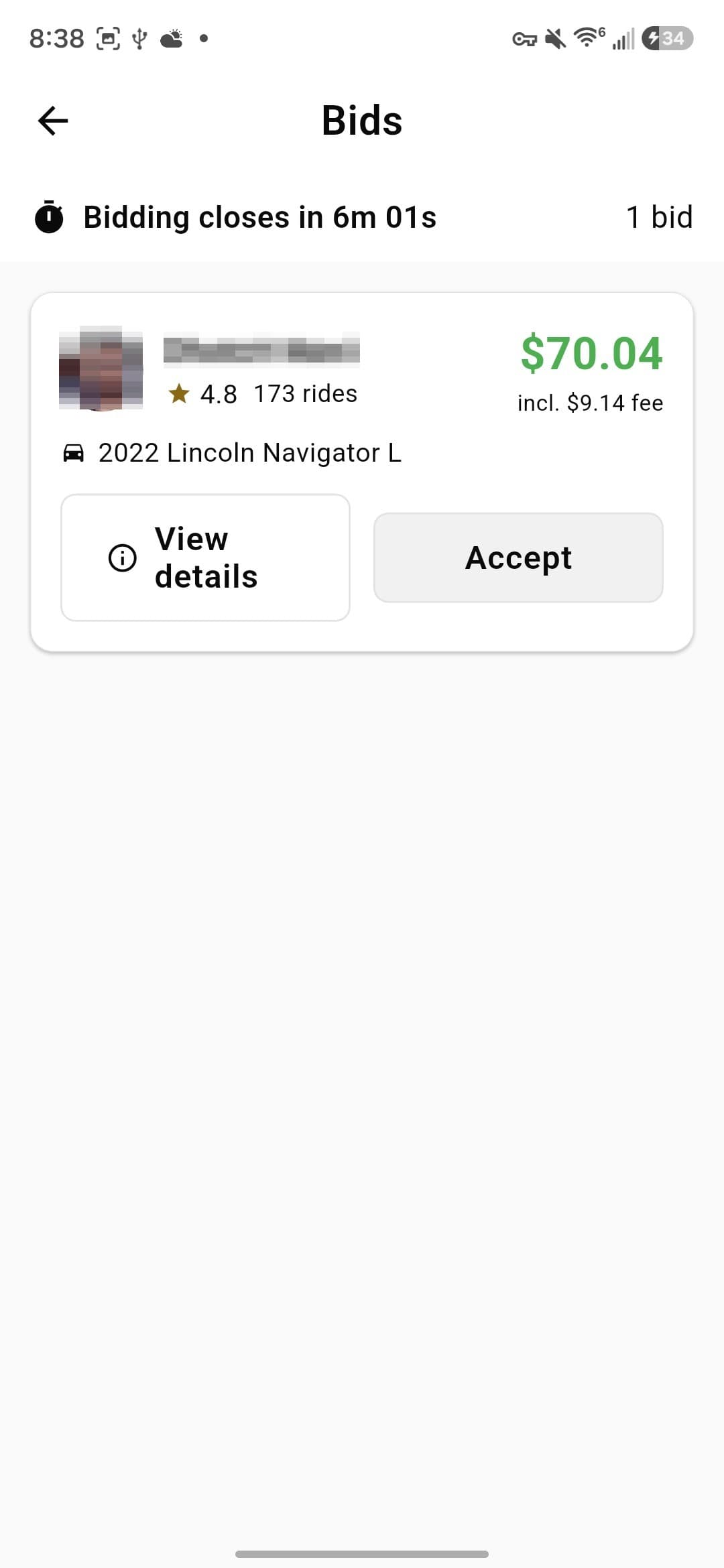
- 1Offers arrive as they're made, with a countdown to close. There's no minimum wait — if the first one suits you, take it.
- 2Each shows the driver's rating, trips completed, the vehicle, and the total including the fee. Accepting one declines the others.
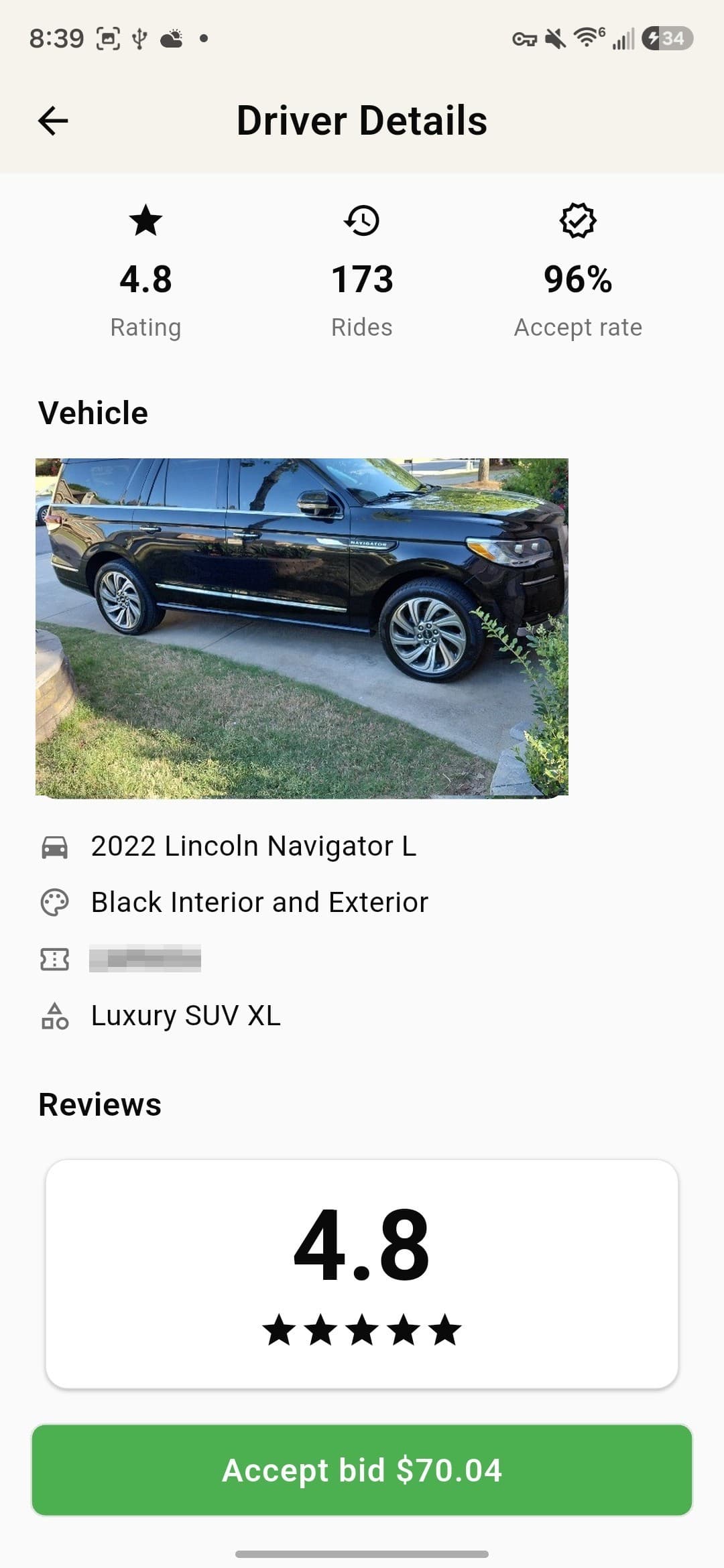
- 1Tap an offer to see who's behind it before deciding — rating, trips completed, acceptance rate, the actual vehicle and their reviews.
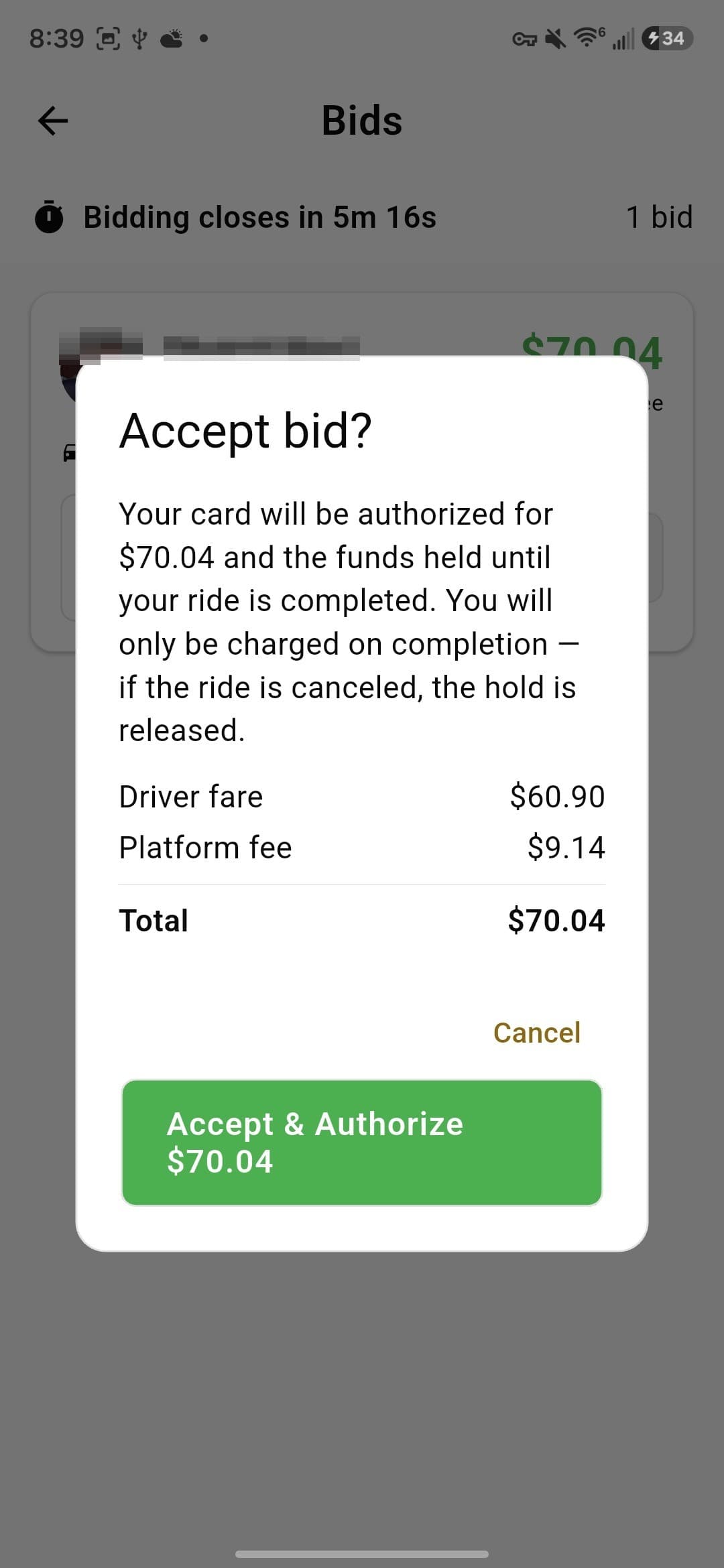
- 1Accepting itemises the driver's fare and our service fee. The fee is added on top of what the driver quoted rather than taken out of it — they keep their full fare, and the total is what you approve.
After you book.
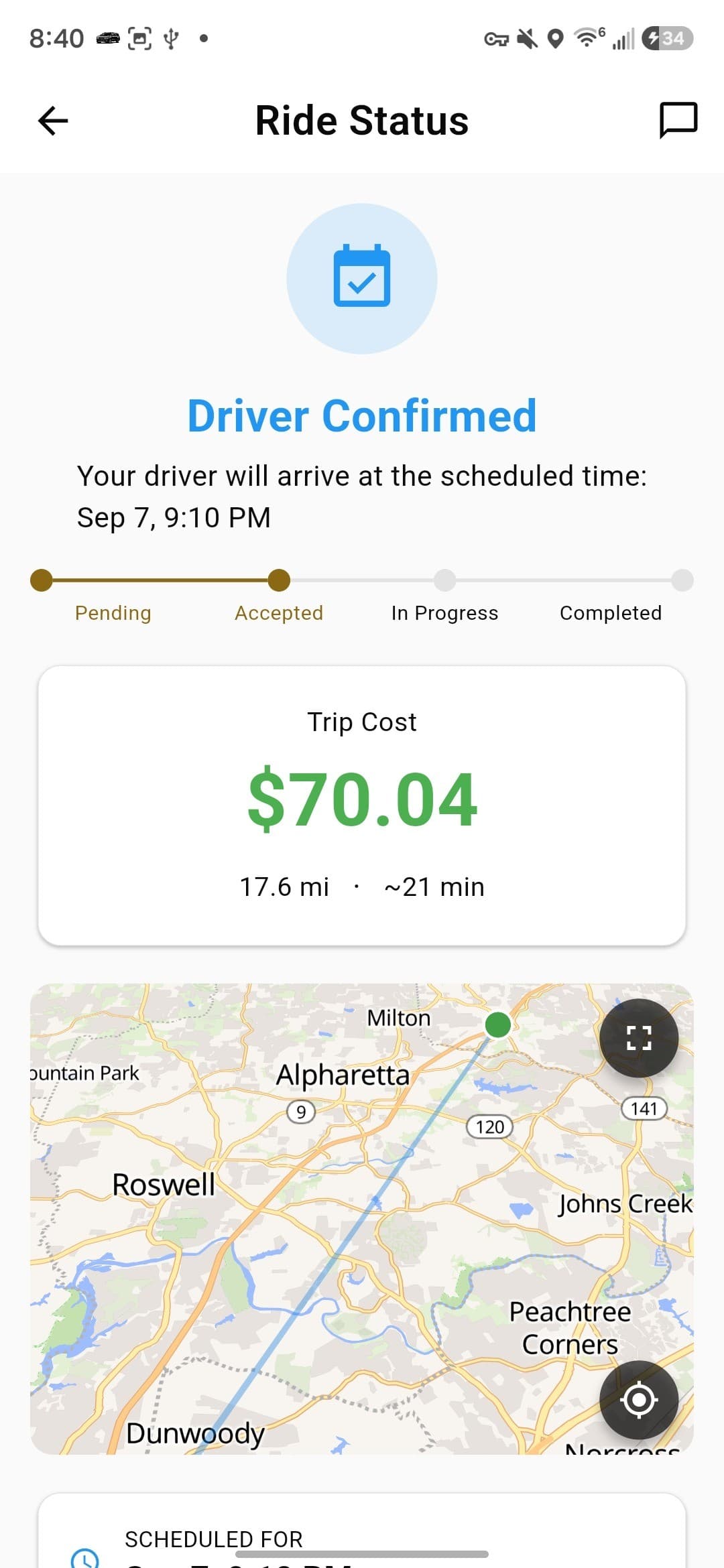
- 1Your trip moves through Pending, Accepted, In Progress and Completed. Before the day, it simply sits confirmed with the cost you agreed; on the day you can watch the car approach and message or call your driver without either of you sharing a phone number.
Common questions.
What's the difference between Book Now and Schedule?
+
What's the difference between Book Now and Schedule?
+Book Now is for right this minute: the trip goes to nearby drivers and the first to accept takes it, at a price you see before you confirm. Schedule is for a trip later — that's where bidding, quotes and choosing your own driver live.
How far ahead do I have to schedule?
+
How far ahead do I have to schedule?
+At least 30 minutes. Anything sooner and you want Book Now instead.
If I let drivers bid, do I have to wait for lots of offers?
+
If I let drivers bid, do I have to wait for lots of offers?
+No. There's no minimum number of bids and no waiting period — if the first offer looks good, take it. Accepting one automatically declines the rest.
When does bidding close?
+
When does bidding close?
+25 minutes before your pickup time. Since scheduled trips are usually posted hours or days ahead, there's normally plenty of time. If you pick specific drivers instead, they get 10 minutes to respond — or until 25 minutes before pickup, whichever comes first.
What if nobody bids?
+
What if nobody bids?
+If no offer is accepted by the time bidding closes, the trip is cancelled and you aren't charged. You'll want to rebook, ideally a little earlier or with a wider choice of drivers.
Why is the total more than the driver's fare?
+
Why is the total more than the driver's fare?
+The driver quotes what they want to earn, and our service fee is added on top — both are itemised before you accept, so the number you approve is the number you pay. Drivers keep their full quoted fare.
When is my card charged?
+
When is my card charged?
+Not when you accept. We authorise the amount and hold it, then charge only when the trip is completed. If the ride is cancelled the hold is released.
Can I see who's picking me up before I commit?
+
Can I see who's picking me up before I commit?
+Yes — that's the point of bidding. Tap a bid to see the driver's rating, how many trips they've done, their acceptance rate, the actual vehicle and their reviews, then accept or ignore it.
Can I book for somebody else?
+
Can I book for somebody else?
+Yes. There's a “Book for someone else” switch on the booking screen — you enter their details and they get the pickup, while the trip stays on your account.
Can I add a stop?
+
Can I add a stop?
+Yes, up to five stops on a trip. Tap “Add stop” under your destination.
Still stuck?
Support chat is built into the Blexor app and comes to us with your trip already attached — faster than email. Otherwise write to [email protected].